
National Defence College Library
Search the library’s books, journals and research databases in one place, from campus or wherever you are.
Full text and remote access are available to NDC participants, faculty and staff. Sign in
New arrivals
-
 مجتمع دولة الإمارات العربية المتحدة في القرن الحادي والعشرين قضايا وتحديات في عالم متغير
-
 علمتني الحياة
-
 طريق القيادة على خطى محمد بن راشد
-
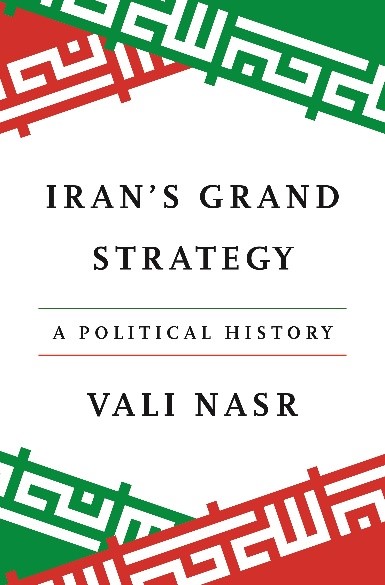 Iran’s Grand Strategy
Featured e-resources
All e-resources-
 Al Mandumah
(opens in a new tab)
Al Mandumah
(opens in a new tab)
-
 Ebsco
(opens in a new tab)
Ebsco
(opens in a new tab)
-
 eMarefa
(opens in a new tab)
eMarefa
(opens in a new tab)
-
 SAGE Publishing
Since 1965, SAGE has helped inform and educate a global community of scholars, practitioners, researchers, and students spanning a wide range of…
(opens in a new tab)
SAGE Publishing
Since 1965, SAGE has helped inform and educate a global community of scholars, practitioners, researchers, and students spanning a wide range of…
(opens in a new tab)
-
 Springer Nature
The world’s most comprehensive online collection of scientific, technological and medical journals, books and reference works. Browse the subject collection of your…
(opens in a new tab)
Springer Nature
The world’s most comprehensive online collection of scientific, technological and medical journals, books and reference works. Browse the subject collection of your…
(opens in a new tab)
-
 Taylor and Francis – eBooks
(opens in a new tab)
Taylor and Francis – eBooks
(opens in a new tab)
-
 Taylor and Francis – Journals
(opens in a new tab)
Taylor and Francis – Journals
(opens in a new tab)
Frequently asked questions
All questionsCan I access the digital library from home or while I am traveling?
Certainly! All the content your institution has subscribed to on the digital library portal is remotely authenticated. You just need to log in with your account to access it. If you’re having trouble viewing a particular resource or database, please contact us by filling out the support form.
I did not receive any activation email, what should I do?
If you didn’t receive the activation email, it is likely due to restrictions in your email client. Please check your Junk or Spam folder.
How can I restrict my search to a specific database?
You have two options to restrict your search to a specific database:
Select the database from the e-resources tab on the homepage and conduct your search.
Start your search with a keyword and then expand the “Content provider” filter on the left side of the results page to select your database.
How can I refine the results by geographic area?
Start your search with a keyword and then expand the “Subject Geographic” filter on the left side of the results page and select your region. This will list articles published from or about the selected region.
How can I refine the results by language?
Start your search with a keyword and then expand the “Language” filter on the left side of the results page and select your language.